

Git
This content is not available in your language yet.
Basic introduce
Git is a free and open source distributed version control system designed to handle everything from small to very large projects with speed and efficiency.
Git is easy to learn and has a tiny footprint with lightning fast performance. It outclasses SCM tools like Subversion, CVS, Perforce, and ClearCase with features like cheap local branching, convenient staging areas, and multiple workflows.
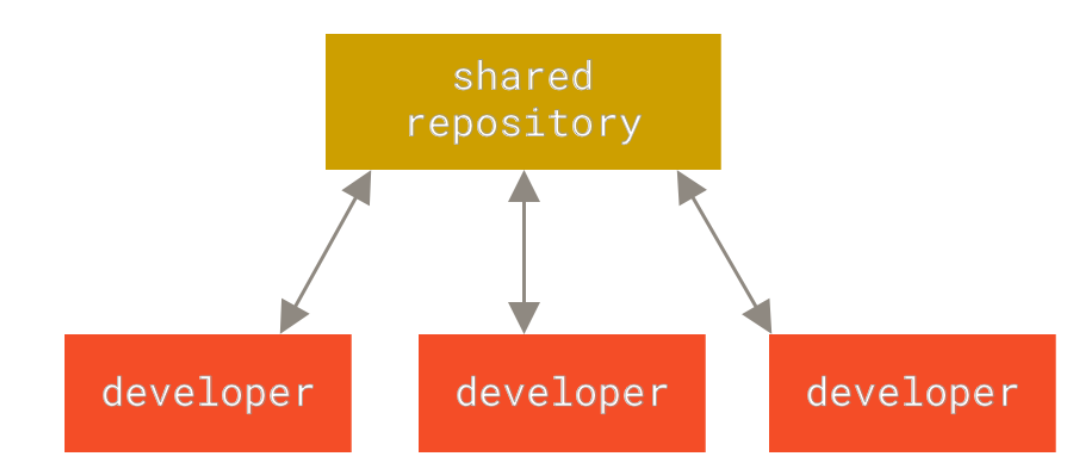
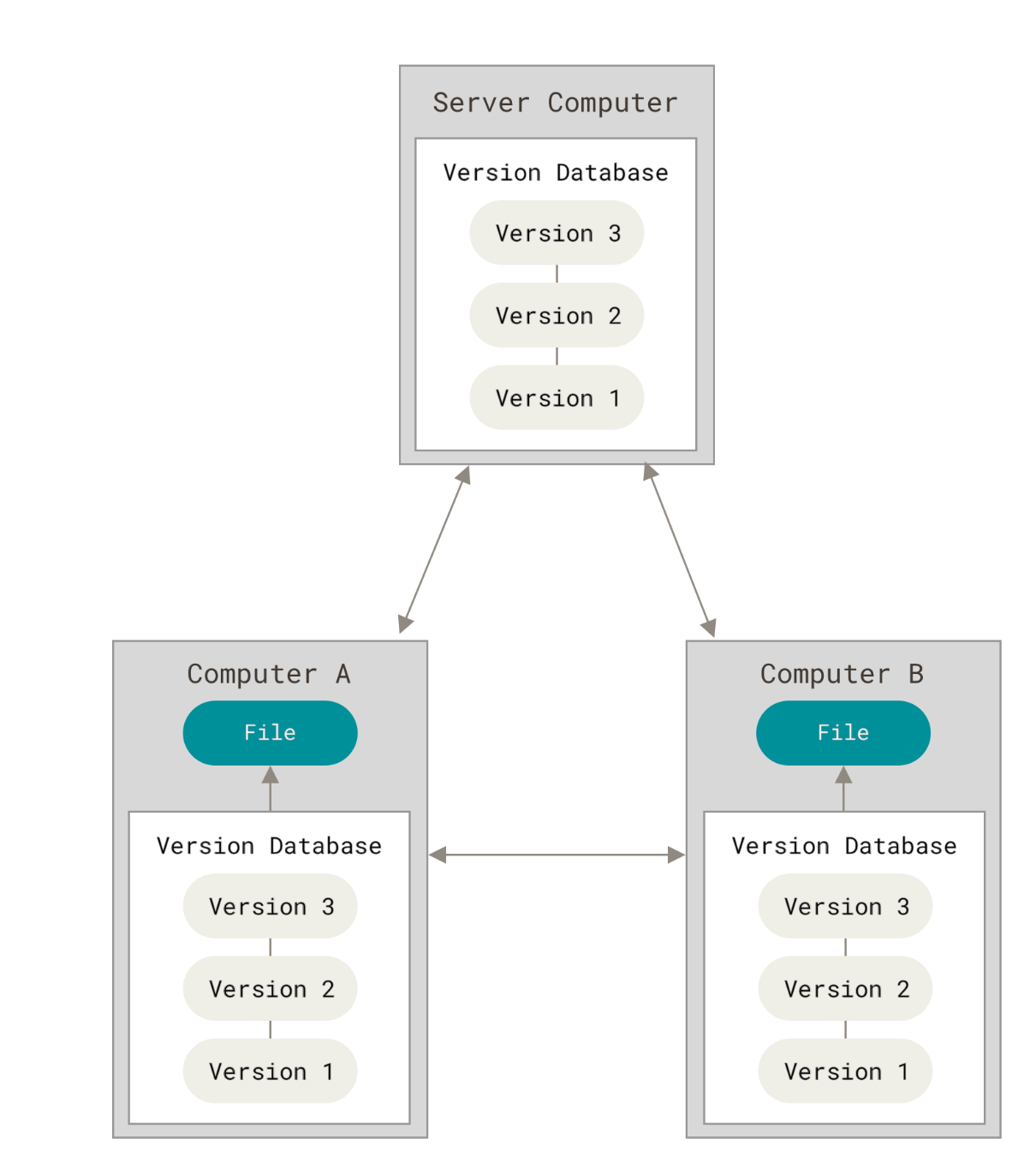
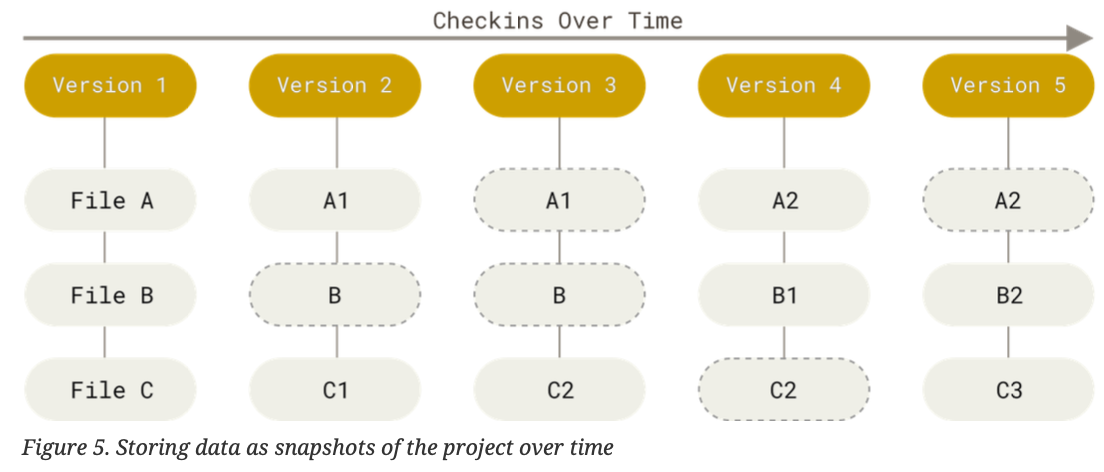
We can learn the general knowledge onGIT We can get the detail information about git on the GIT pro

Basic practice
1.Installation
- Linux
$ sudo apt-get install git-all
- Mac
terminal click :
git clone https://github.com/git/git
$ git
If you don’t have it, OSX will ask you to install XCode Developer tools
If you want a new version download it from the main Git site and install like any other mac app.
- Windows
The best way to get started on Windows is to download Git for Windows
2.Configure,setting up local identity
Configure user’s name, user’s email ,in our case, it connect with gitlab
$ git config user.name "XXX"
$ git config user.email "XXX@xx.com":
”mkdir” used to build a new folder; “touch”used to build a new file; “cd” used to open local file
$ cd /Users/douboy/Documents/gitlab
Initialized empty Git repository
$ git init
Initialized empty Git repository in /Users/douboy/Documents/gitlab
3.Clone ,pull
$ douboydeMacBook-Pro:gitlab douboy$ git clone git@gitlab.fabcloud.org:academany/fabacademy/2018/labs/fablaboshanghai/students/bob-wu.git
Cloning into 'bob-wu'...
remote: Counting objects: 670, done.
remote: Compressing objects: 100% (48/48), done.
remote: Total 670 (delta 64), reused 91 (delta 55)
Receiving objects: 100% (670/670), 6.55 MiB | 1.11 MiB/s, done.
Resolving deltas: 100% (378/378), done.
$ douboydeMacBook-Pro:bob-wu douboy$ git pull origin master
From gitlab.fabcloud.org:academany/fabacademy/2018/labs/fablaboshanghai/students/bob-wu
* branch            master     -> FETCH_HEAD
Already up-to-date.
git pull :
$ git pull origin master
4.Stageing files: git add,git commit
git add —all (git add -A) git commit -m “write commit” ,you can write what you want in the part of “write commit”
$ git add --all
$ git commit -m "code"
[master 0611cd9] code
1 file changed, 16 insertions(+), 16 deletions(-)
douboydeMacBook-Pro:bob-wu douboy$ git push
Counting objects: 5, done.
Delta compression using up to 4 threads.
Compressing objects: 100% (5/5), done.
Writing objects: 100% (5/5), 642 bytes | 642.00 KiB/s, done.
Total 5 (delta 4), reused 0 (delta 0)
To gitlab.fabcloud.org:academany/fabacademy/2018/labs/fablaboshanghai/students/bob-wu.git
  d1567a2..0611cd9  master -> master
5.git diff
one or more files, then check what you changed since the last commit$ git diff test2.txt
diff --git a/test2.txt b/test2.txt
index b0b9fc8..835f9c0 100644
--- a/test2.txt
+++ b/test2.txt
@@ -1 +1,4 @@
Another file
+
+
+This is the new content of the file
6.git rm
files$ git rm test.txt
rm 'test.txt'
$ git status
On branch master
Changes to be committed:
(use "git reset HEAD <file>..." to unstage)
deleted: test.txt7.git log
git log: Looking at the commit history
8.git push: Push the local data to gitlab
The following is the structure of local operation


FAQ
- git push Please make sure you have the correct access rights
  sh-3.2$ git config user.name "user name"
  sh-3.2$ git config user.email "user email"
  sh-3.2$ git add --all
  sh-3.2$ git commit -m "update "
  [master b0739b3] update summary.md
  1 file changed, 1 insertion(+)
  sh-3.2$ git push origin master
  remote:
  remote: ========================================================================
  remote:
  remote: You are not allowed to push code to this project.
  remote:
  remote: ========================================================================
  remote:
  fatal: Could not read from remote repository.
  Please make sure you have the correct access rights
  and the repository exists.
There is no ssh key in gitlab . we need build ssh in local and then update in gitlab
  sh-3.2$ ssh-keygen -t rsa -C "user email"
  Generating public/private rsa key pair.
  Enter file in which to save the key (/Users/douboy/.ssh/id_rsa):
  /Users/douboy/.ssh/id_rsa already exists.
  Overwrite (y/n)? y
  Enter passphrase (empty for no passphrase):
  Enter same passphrase again:
  Your identification has been saved in /Users/douboy/.ssh/id_rsa.
  Your public key has been saved in /Users/douboy/.ssh/id_rsa.pub.
  The key fingerprint is:
  SHA256:wG7SjdUw8QvremcZeYlHmXDQ/NqdWCNnao/mKn1WdSc bobwu0214@126.com
  The key's randomart image is:
  +---[RSA 3072]----+
  |        +..+     |
  |     .   =. +    |
  |      o o oo +   |
  |     o = o .+.E=+|
  |    . = S .+ +Bo*|
  |     o .  + =+.o.|
  |        . .=. +  |
  |       ...+. = . |
  |      .. o..*.   |
  +----[SHA256]-----+

  sh-3.2$ cat ~/.ssh/id_rsa.pub
  ssh-rsa AAAAB3NzaC1yc2EAAAADAQABAAABgQDDk8GjUmfY3OIWeHg3l4PloAjUDP1n4SX317LB3ezLhNnowxkOeH89wUrzkCAa4ZDiiWTPVCov+uvBb4jj8FHhW1q29HP+8Dh9vr1Cofccc3A2TTahhR9Cn3Qxboi7/jPaJ4kzh6iXFC4yqE2wQgxvkkFp1dtBAOTjDEJyjhIVO5lBryUoSLyuGwkzBv0mQgW5Hj131w/fk2EsHUDj1KCPfFryR9kQMarbuZgqpLmAQNgtOL7P+FAPUvdxf9FHXtMD+fooB+PIVCBrne3OejpVQWkMHCm2735SSrmm6+PVWLveWmQsXhJ2AlqnVgxKFj9hI0i3k0WtzJY/AYUb4QzAY4PR/umFtkA4ZYreNAqgf4TejDx1u/C2iGB20OIgeg08kImXCvgqSFEKhURCCzp4+PIP1ZkOv7BPGqrpdQbJQRO7ix+t6+lmYfmwS7YXVmDwcCRaLW7b+BCtfBTNiH+xvlCWFj/dXiaBCKVVT7PAoYt43wlKJeEFDhnSGJmALtE= bobwu0214@126.com
copy ssh to gitlab ssh key

Then run git push again
  sh-3.2$ git push origin master
  Enter passphrase for key '/Users/douboy/.ssh/id_rsa':
  Enumerating objects: 5, done.
  Counting objects: 100% (5/5), done.
  Delta compression using up to 4 threads
  Compressing objects: 100% (3/3), done.
  Writing objects: 100% (3/3), 287 bytes | 287.00 KiB/s, done.
  Total 3 (delta 2), reused 0 (delta 0), pack-reused 0
  To gitlab.com:king0214/gitbooktestaaa.git
    65050a4..b0739b3  master -> master
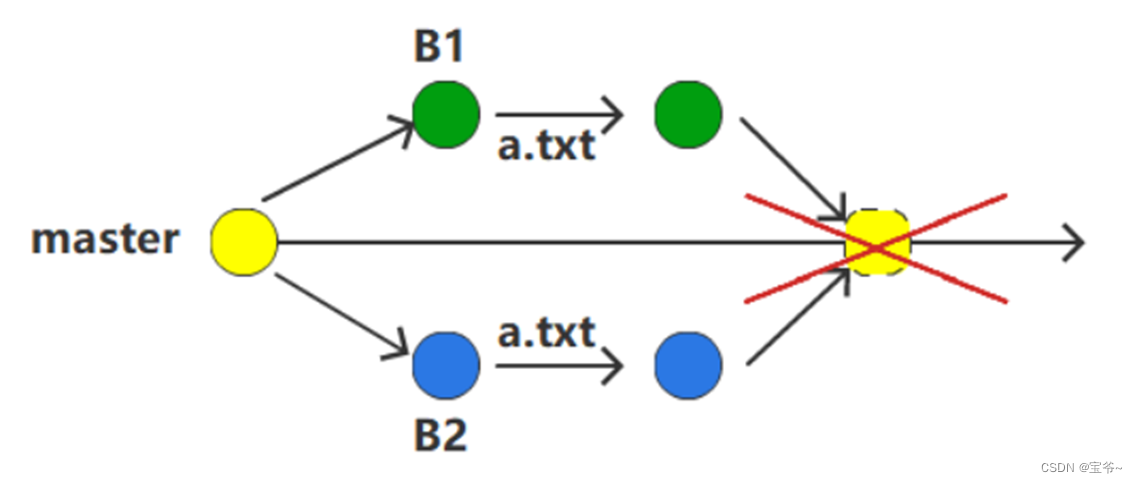
2.git pull and covery local coding,
some time local coding update to new version and online coding new version, so the version conflicts. the following would use online version to covery local
    git fetch --all   //git all data from online
    git reset --hard origin/master   //(master would change according to real condition of branch)
    git pull   //pull again